Retail software where the till, the stock and the books agree
Barcode checkout built for queue speed, cashier shift control with Z-reports, and inventory that moves as you sell — all posting into a double-entry ledger.
For supermarkets, shops and multi-branch retail chains.
Book a demoWhy operators switch
The capabilities further down are table stakes — every vendor has them. These are the reasons businesses actually move.
The drawer reconciles against the ledger, not a report.
Shifts open with a float and close with a Z-report comparing counted cash to what the system posted. Because sales post as they happen, the variance is real and attributable rather than a figure that appears at month end.
Stock moves in the same transaction as the sale.
There is no overnight sync and no separate stock system to fall behind. Sell an item and inventory and cost of goods move with it, which is why the stock figure is still true by mid-month.
It sells through an outage.
The installed till runs on your own network. A provider outage or a cut line stops your email, not your queue.
Take this to any demo
Ask any till you are shown who deleted a receipt last Tuesday, and what it posted to the accounts when the sale went through.
A till that cannot answer the first question has no audit trail worth the name. One that cannot answer the second is a sales log, not an accounting system — and the difference only becomes visible when the drawer does not balance and nobody can say why.
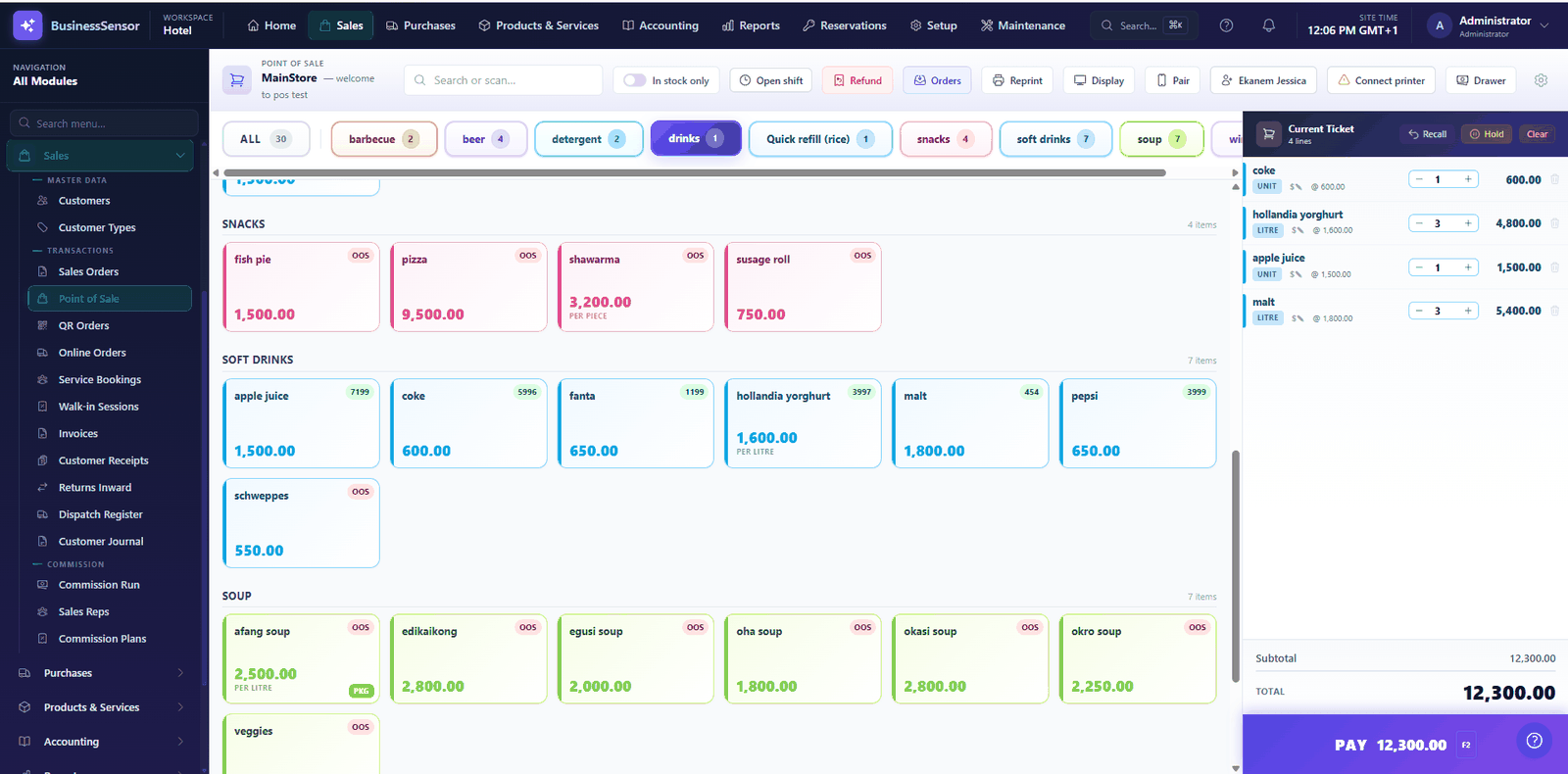
What usually goes wrong — and what we do about it
The drawer never matches at close of day
Cashiers open a shift with a float and close with a Z-report comparing counted cash against expected. Overrides need manager authorisation and are logged.
Stock figures are fiction by mid-month
Every sale moves inventory in the same transaction, and every adjustment is recorded and attributable.
Checkout is too slow at peak
The sale screen is keyboard and scanner driven, with hold and park for interrupted baskets.
Card payments live in a separate terminal report
Card tendering through supported gateways and terminals records against the sale, so the day reconciles by tender type.
What you get for retail
Barcode checkout
Scan, tender and print, with hold and park for interrupted sales.
Shifts & Z-reports
Float in, count out, variance explained.
Multi-branch
Stock and sales per outlet, consolidated in one set of books.
Pack sizes
Sell the same item as a carton, a pack or a single unit.
Refunds
Refund the last sale or a selected receipt, reversing in the ledger.
Digital receipts
Send the receipt as a link instead of paper.
Hardware
Receipt printers, cash drawers and scanners per workstation.
Accounting
Sales, VAT, cost of goods and cash post automatically.
The products behind this
BusinessSensor POS ERP
Fast checkout with barcode scanning, receipt printing and cash-drawer control, backed by real inventory and a double-entry ledger — so the till, the stock and the books agree at close of day.
BusinessSensor DMS ERP
Multi-warehouse stock, order-to-invoice processing and customer credit control, sitting directly on a double-entry ledger — so you always know what you are owed and what it cost you.
Operators using it for retail
"We gained over 200% in profits."
"The software helped me get the true state of my business."
Retail & Supermarkets questions
Can it run several branches?
Yes. Each outlet has its own stock and sales, and the results consolidate into one set of accounts. The number of outlets is governed by your subscription tier.
What happens during a power or internet cut?
The installed desktop POS runs on your own network and continues to sell without an internet connection.
See it set up for retail
A walkthrough configured for your kind of operation, not a generic slide deck.